MobaXterm
- Request MobaXterm to be available within OneView.
- Open MobaXterm and click on
settingsand go to theSSHtab. -
Make sure that
Enable graphical SSH-browseris enabled as show in the picture. Click onOK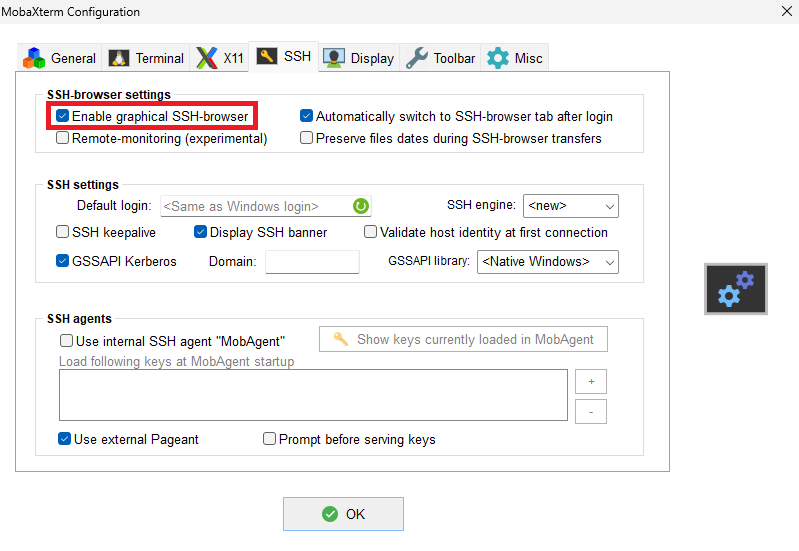
-
Open a terminal and login to the login node (eg.
helios). -
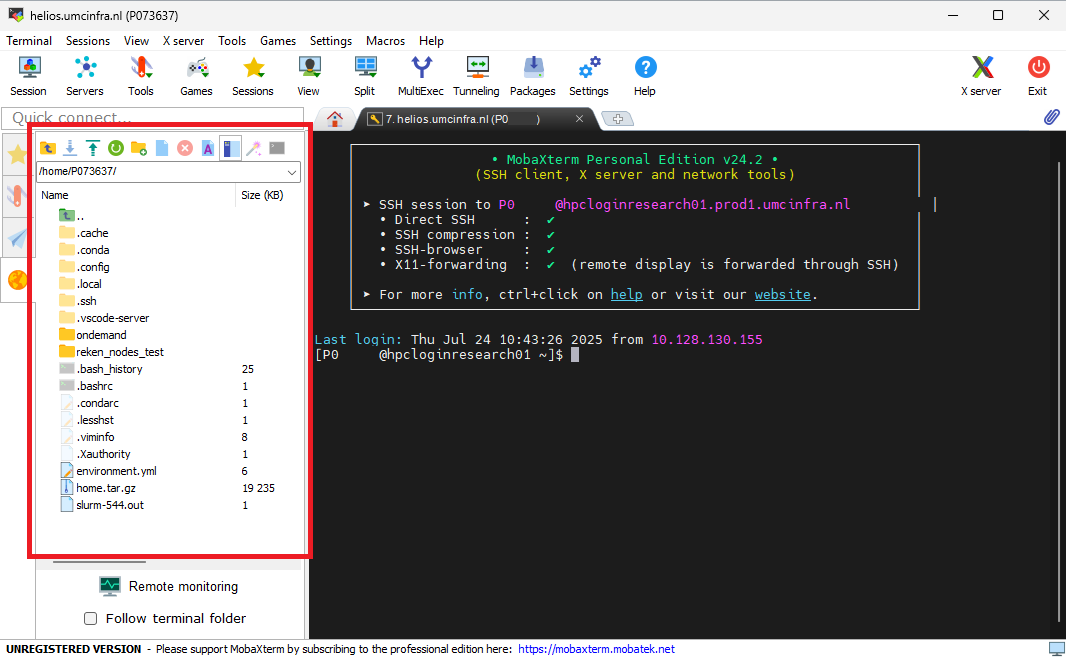
The MobaXTerm client will open a file browser interface. As shown in the following figure.
-
This interface can be used to create directories and for downloading and uploading files. The interface offers a upload and download icon above the file listing. Files can also be dragged and dropped between MobaXterm and the Windows file explorer. The last way also allows a full directory including files to be transferred to or from Gaia.